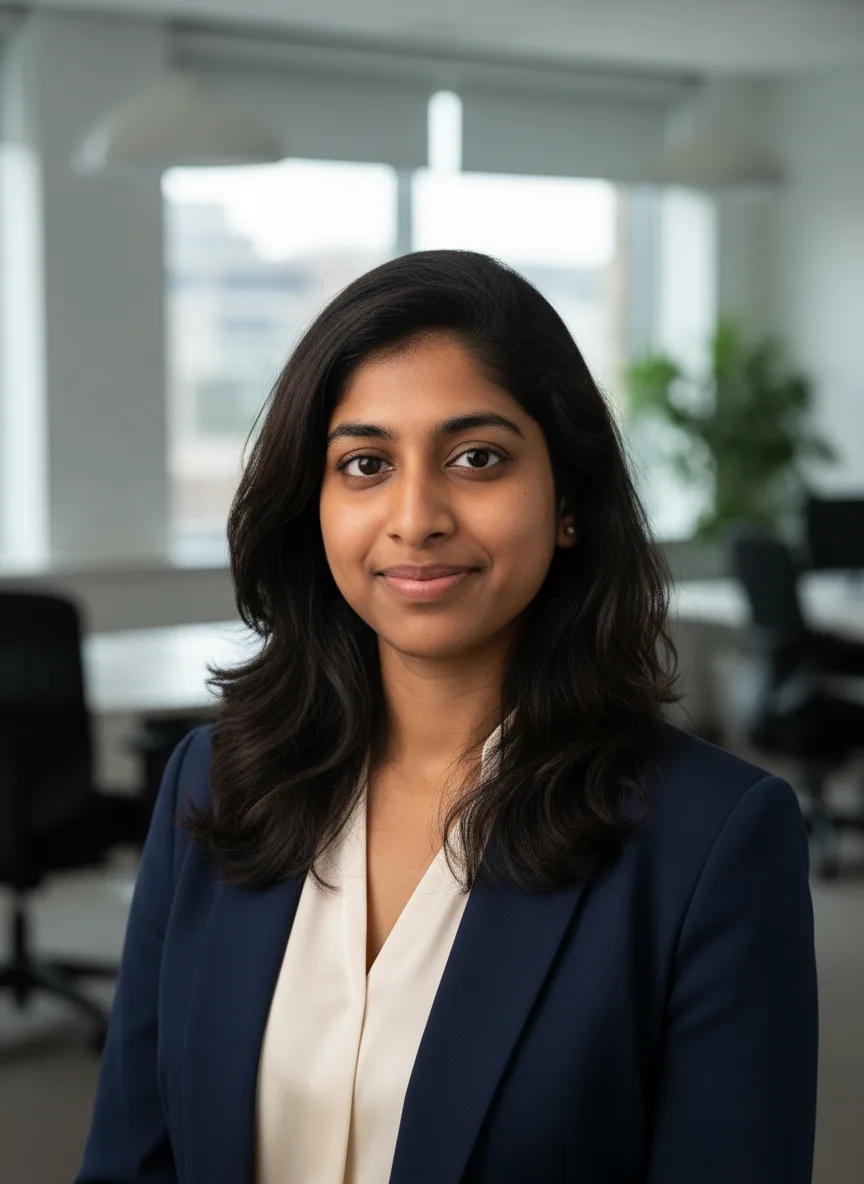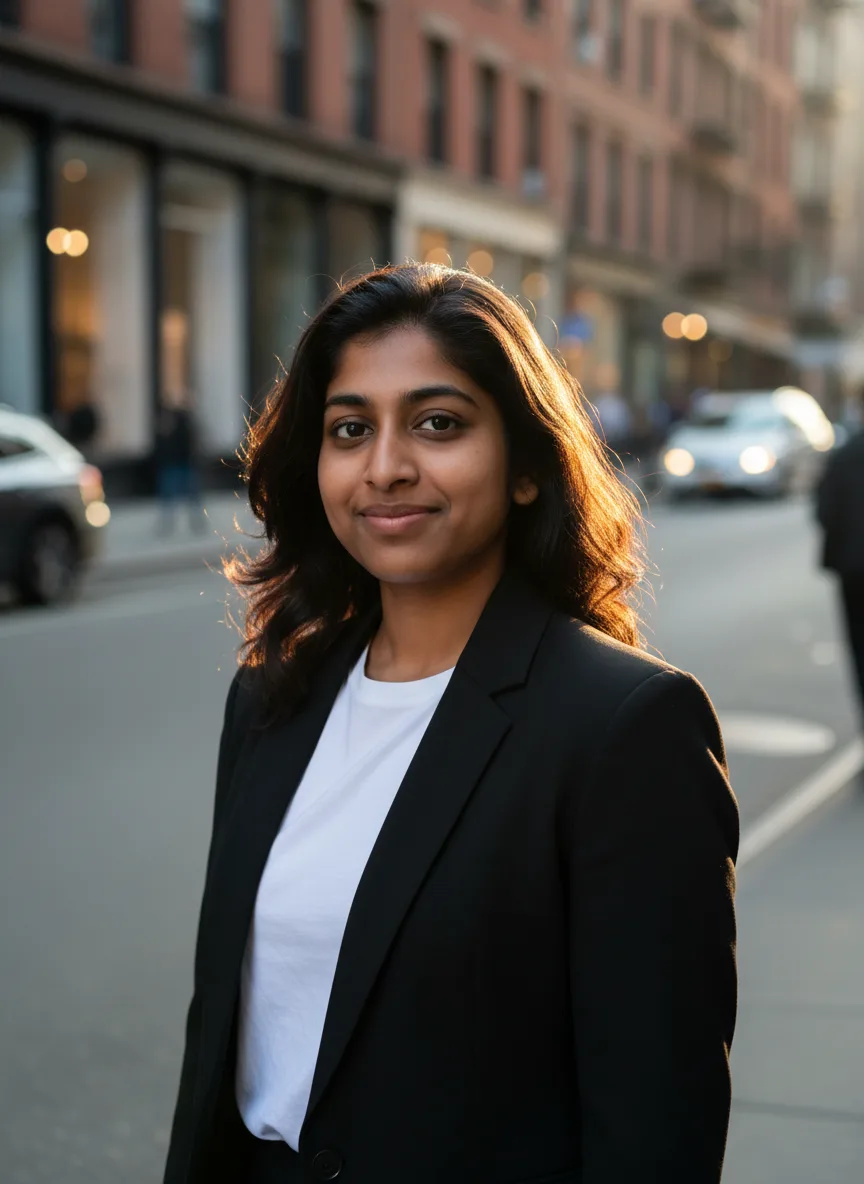
A photographer never hands you one headshot. They hand you a contact sheet, and you pick. The same habit works with AI: instead of generating one LinkedIn photo and hoping it is the right one, generate the whole set of looks from the same selfies and choose the frame that passes two tests, one for size and one for likeness. The LinkedIn Headshot tool is set up for this, with five looks and a Full shoot button.
The five looks in the set
Each look is an outfit and a background together. The tool fills them into a fixed prompt that asks for head and shoulders centered, a warm approachable smile, eye contact and soft flattering light, and ends with "Keep the real face and identity. Photorealistic, not retouched."
- Suit: business suit, soft blurred office background.
- Blazer: blazer over a t-shirt, plain light gray background. This is the default.
- Oxford shirt: light blue oxford shirt, soft white background.
- Warm neutral: blouse and cardigan, warm neutral wall.
- City: smart casual shirt, outdoor city blur.
All five render square (1:1), the shape LinkedIn crops its circle from.
Matching the look to your field
The right look is the one people in your field would expect to see you in at work, not the most formal one available.
| Field | Start with | Second choice |
|---|---|---|
| Finance, law, sales, executive roles | Suit | Blazer |
| Tech, product, consulting, design | Blazer | City |
| Teaching, healthcare, HR, nonprofits | Warm neutral | Oxford shirt |
| Founders, freelancers, creators | City | Blazer |
| Job seekers in mixed fields | Oxford shirt | Blazer |
Background matters as much as clothing. The plain gray and white backgrounds of Blazer and Oxford shirt are the quietest at small sizes. The office and city blurs add context but also more texture behind your head, which can make the circle look busy.
Run the set, then choose
Step 1: the photos
Upload one to four clear photos of yourself, the same person in every photo. Face the camera, stand facing a window for soft light, wear your hair the way you wear it to work, and leave out sunglasses and beauty filters. For the outfit itself, what to wear for headshots covers colors, necklines and fit by profession. Nano Banana, the default model, takes up to three reference photos, so a fourth photo only helps on a model that takes more. The photo upload guide covers what a headshot needs from a reference in more detail.
Step 2: one look first
Generate the look you expect to use, usually Blazer, as a single image. If the face is wrong here, it will be wrong in all five looks, and the fix is a better photo rather than a different look.
Step 3: the Full shoot
When the single look passes, switch to Full shoot. It runs all five looks with the same photos and model and shows the total before you spend anything. A look that fails is refunded on its own.
Step 4: the circle test
LinkedIn shows your photo small: next to comments, in search results, in message lists. Open each result, zoom out until it is about the size of a thumbnail, and imagine it inside a circle. Keep the frames where your face is still the first thing you see and nothing important touches the edge. This test usually removes one or two looks right away, often the ones with a busier background.
Step 5: the likeness test
From the frames that are left, choose the one that someone who has only met you on a video call would recognize. The most flattering image is not always that one. If none of them pass, change the selfies before you change the look.
Keep it you
A headshot that does not look like you works against you the first time you meet someone. Do not use a frame that changes your age, build or features, and never run the tool on someone else's photo without their agreement.
Reusing the rest of the set
The frames that did not become your profile photo are still useful. A blazer frame can be your Slack and email avatar so you look the same everywhere. The city frame can sit in a newsletter byline or on a personal site.
For a resume, a speaker bio or a conference page, you usually want a taller portrait. The AI Headshot Generator takes the same kind of photos and renders portrait 3:4, with six looks of its own (Studio gray, Office, Dark editorial, Outdoor, Clean white and City) and an optional details field for things like glasses.
For a company team page, consistency matters more than any single portrait. The corporate headshots tool adds a Company backdrop choice: neutral gray studio backdrop, white seamless backdrop, deep navy backdrop, blurred glass office with daylight, or blurred office lobby. Agree on one look and one backdrop, then have each person upload only their own photos. The small business page shows how team headshots fit with the other images a small company needs.
Finishing touches
- A brand-color background. If your company page uses a specific color, the background remover cuts you out of the chosen frame as a transparent PNG, and you place it on any color in a design tool. The plain gray and white looks give the cleanest edge.
- Print. For a printed badge, a conference program or a book jacket, run the final frame through the image upscaler. It doubles width and height for images up to about one megapixel and adds detail, so compare eyes and teeth with the original afterwards.
- A small fix. A collar that sits oddly or a stray hair across the forehead can be changed with the AI photo editor by describing the change and saying what to keep.
Choosing a model
Both headshot tools default to Nano Banana because it keeps faces consistent, and a Full shoot runs every look on whichever model you choose.
If the likeness is right but the image looks soft, try the same look on Nano Banana Pro, which can use all four reference photo slots and costs more per image. Each model card shows its price, and the Generate button shows the total before you spend anything.
Honest limits
- Every frame is a new drawing of you, so likeness varies from look to look. That is why choosing from a set beats trusting one image.
- Small details such as earrings, collars and glasses frames can change between looks. Check them at full size before you upload.
- New accounts get 50 free credits. Check the price on the Generate button for the model you picked before you start, and test a single look before you commit to the Full shoot.