Most people try the AI yearbook trend one decade at a time, then wonder why their four portraits do not quite match when they post them together. Treat it as a shoot instead: one set of reference photos, four eras, one run. The AI Yearbook Photos tool has exactly four looks (70s, 80s, 90s and 2000s), so a Full shoot gives you the complete set with the same face, the same model and the same framing, ready to post as a carousel or lay out as a yearbook page.
What each look changes, and what stays
Every era fills the same template. The tool asks the model for an American high school yearbook portrait of the person in your photos from the chosen decade, with era-accurate hairstyle and clothing, a classic mottled school portrait backdrop, soft flash and a slightly faded film print, then tells it to keep the face and identity the same. You can read the exact text under "Prompt sent to the model" before you generate.
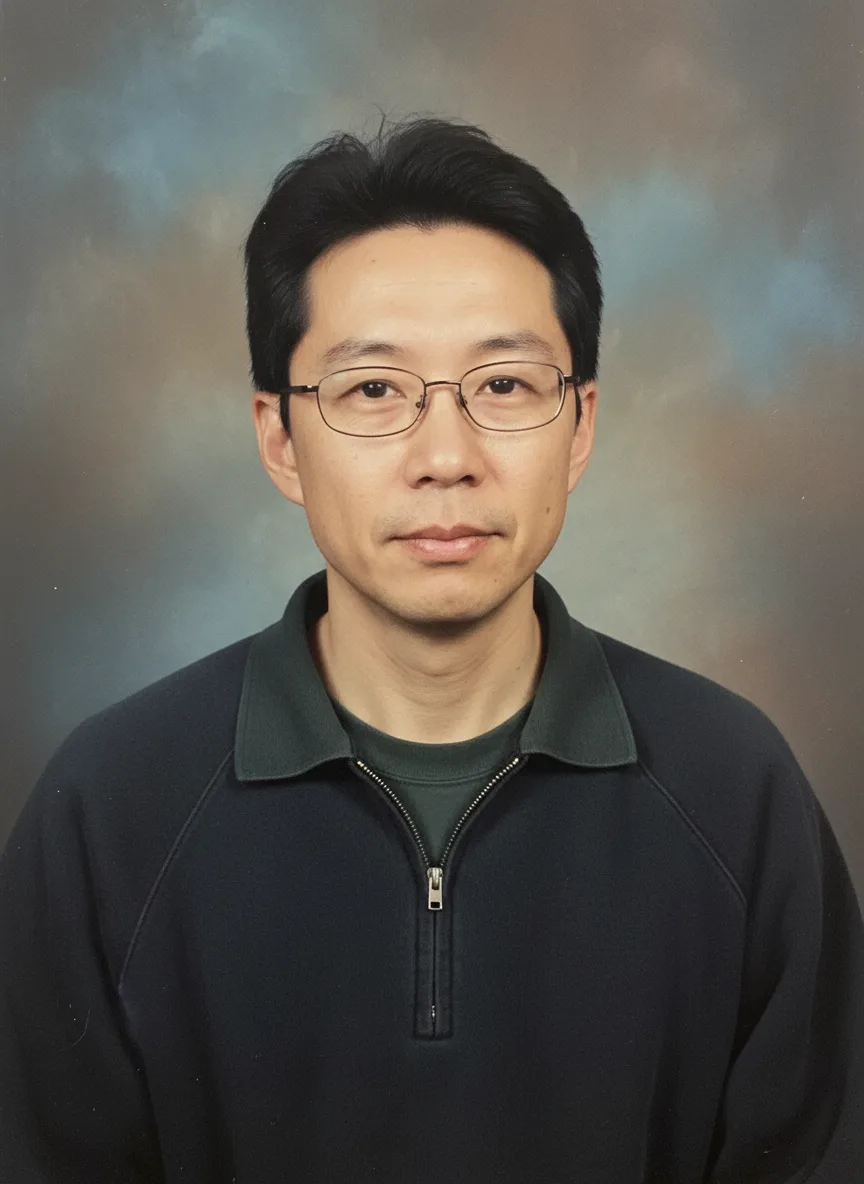
So across the four looks, three things change (hair, clothes and the model's sense of each decade) and the rest holds still: the mottled backdrop, the soft flash, the faded print and the head-and-shoulders portrait in 3:4. That fixed half is what makes four separate images read as one series. The portrait at the top of this page is the 1990s look, which is also the tool's default.
Step 1: build the reference set
A school portrait is a tight crop, so the face carries the whole likeness, and the era hair takes away one of the things people normally recognize you by.
- Upload one to four clear photos of the same person, front facing, in even light.
- A small, closed smile reads more like a real yearbook photo than a big laugh.
- No sunglasses, hats or heavy filters. The model needs to see your face, not your current style.
- Nano Banana, the default model, takes up to three reference photos.
The photo upload guide explains why costume-style shoots lean so heavily on the face in the reference.
Step 2: one era first
Generate a single era before the whole set. The 90s default is a good test. If the face looks like you there, it will most likely hold in the other three. If it does not, change the photos, not the era, because a weak reference spoils all four looks of a Full shoot.
Step 3: the Full shoot
Switch to Full shoot and the tool runs all four eras from the same photos and model. The total price shows before you spend anything, and an era that fails is refunded on its own. An era that comes back with a face you do not like is a finished image, which is why the single test comes first.
Sequencing the carousel
A four-image carousel has a natural order: 70s, 80s, 90s, 2000s. The swipe moves forward in time and the hair changes with every frame. A few variations work too:
- Start with the strongest frame. If the 80s portrait is the funniest, put it first and let the rest follow in order.
- End on a now photo. Add a recent photo of yourself as the fifth slide for a then-and-now ending.
- Caption with years. "Class of '79" and "Class of '99" under each frame make the joke land without explaining it.
Keep the aspect ratio at 3:4 for all four, which is how the tool starts, so the frames line up in a feed.
A group yearbook page
The trend is better with friends. Pick one era for the whole group so every portrait has the same backdrop and print, then:
- Each person runs that era on the tool from their own photos.
- Everyone downloads their portrait and sends it to one person.
- That person lays them out in a grid with names under each photo, like a real page.
For a cleaner layout, cut each portrait out with the background remover, which returns a transparent PNG, and place everyone on one shared page color. Only include people who agreed, and photos of anyone under 18 may be uploaded only by a parent or legal guardian.
Choosing a model for the set
A Full shoot runs every era on the model you pick, so the choice applies to all four portraits. Nano Banana is the default because it keeps faces consistent. If the likeness is right but the portraits look soft, run the single test era again on Nano Banana 2 or Nano Banana Pro from the model menu before you run the set, and compare the two side by side. Each model shows its price on the Generate button, so you see what the four-era set will cost before you commit.
Then and now with graduation and senior photos
A yearbook portrait pairs naturally with a modern graduation photo. The AI graduation photos tool has a Studio look that is a classic portrait on a mottled blue backdrop, close enough to the yearbook setup that the two sit well side by side, plus outdoor looks like Campus and Cap toss and a gown color choice.
For a senior portrait in today's style instead, the AI senior pictures tool has six looks, including Fall leaves, Golden field and a Studio look on a soft gray backdrop. It asks for two to four recent photos, and the senior picture ideas guide has twenty settings and themes to plan it around.
Retro looks beyond the yearbook
The yearbook tool does one thing: the school portrait. For other throwback styles, the AI generated photoshoot has a 90s film camera flash party concept and a black and white fine art portrait concept. The vintage film and polaroid styles give the same faded, nostalgic finish to any subject.
Finishing for print
If the portraits are going on a printed reunion invite, a birthday card or a real photo page, finish them before printing.
- Fix one detail. A collar or a piece of jewelry you would rather not have can be changed in the AI photo editor. Say what to change and to keep the face the same.
- Upscale last. The image upscaler doubles width and height for images up to about one megapixel and adds detail. Run it after any edits, and compare the eyes and teeth with the original afterwards.
Honest limits
- The hair is a costume. Each era restyles your hair on purpose. If you want your own hairstyle, write a custom prompt in the studio.
- The decades are the model's idea of them. Clothes and hair reflect what the model associates with each era, not any real school.
- Faces can soften. Soft flash and a faded print give the model room to smooth features. A sharper reference photo is the fix.
- Other people need to agree. Use friends' photos only with their permission, and never to make someone look like they attended a school they did not.