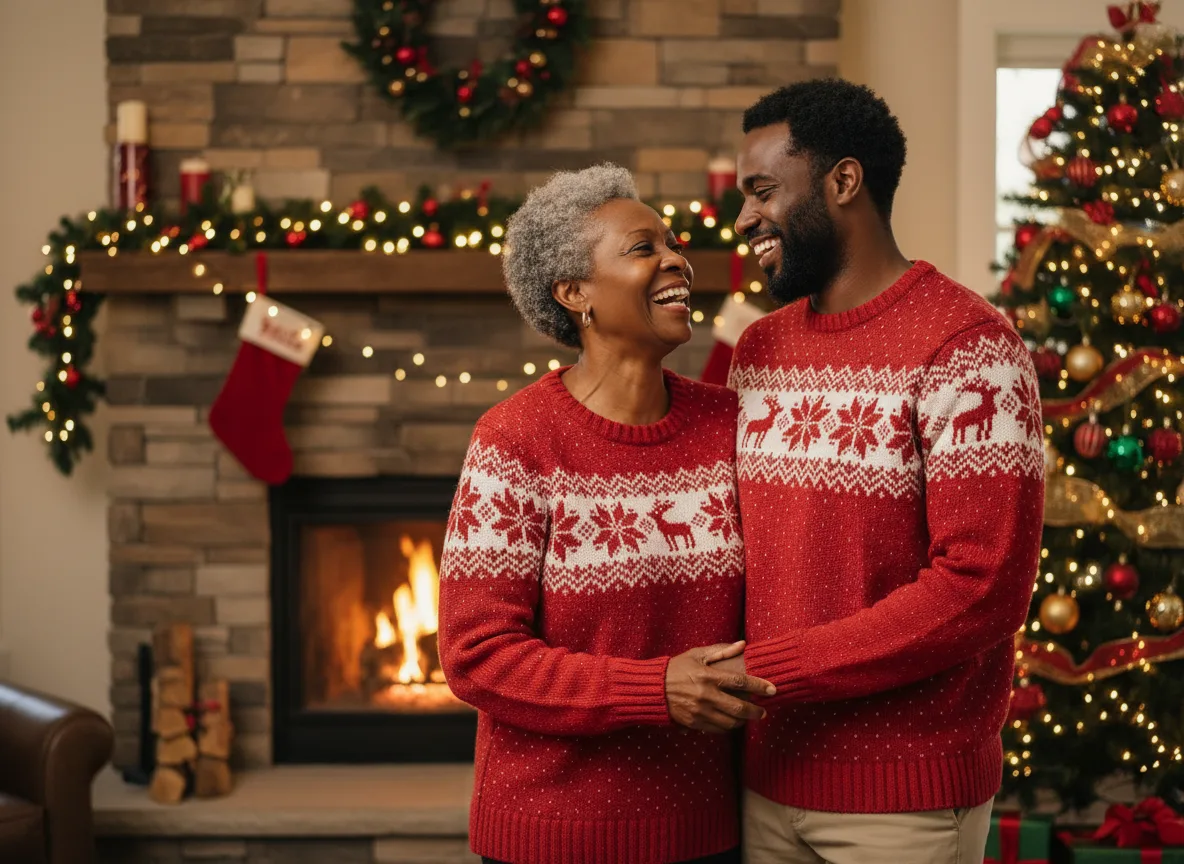
Most people need more than one Christmas photo. There is the card that goes in the post, a few images for social media in December, and often a print for grandparents who would rather have paper than a link. Planning those as one shoot, instead of three separate attempts, is what keeps them looking like the same family on the same day. The AI Christmas Photoshoot tool is built for exactly that: six scenes, one outfit choice, and a Full shoot button that makes one image per scene from the same reference photos.
The two settings that make the set
The tool has two choices that matter, and they behave differently.
Scene is the look. There are six: Fireplace (a cozy living room by the fireplace and a decorated tree), Cabin (outside a snowy log cabin), Market (a European Christmas market at night), Morning (opening presents on Christmas morning), Snowy forest (a winter forest with snow falling) and Baking (baking cookies in a festive kitchen). A Full shoot runs all six.
Outfits is one choice for the whole run: matching red knit sweaters, matching plaid pajamas, elegant winter coats and scarves, or casual holiday outfits. Whatever you pick here appears in every scene of a Full shoot.
That second point decides how you plan. Plaid pajamas look right in Morning and a little odd at an outdoor market at night. Winter coats suit the Cabin and the Market, and look overdressed by the fireplace. So before you press anything, decide whether you want one consistent outfit across six scenes, or the best outfit for each scene.
Pairing scenes and outfits
Here is how the four outfit options sit with the six scenes, as a starting point for your own taste.
| Scene | Strongest outfit | Also works |
|---|---|---|
| Fireplace | Matching red knit sweaters | Plaid pajamas |
| Cabin | Elegant winter coats and scarves | Red knit sweaters |
| Market | Elegant winter coats and scarves | Casual holiday outfits |
| Morning | Matching plaid pajamas | Casual holiday outfits |
| Snowy forest | Elegant winter coats and scarves | Red knit sweaters |
| Baking | Casual holiday outfits | Red knit sweaters |
Red knit sweaters are the most forgiving single choice: they read as Christmas indoors and out, so a Full shoot with sweaters gives you six usable images. If you want the pairings in the left column, run single looks instead: Morning with pajamas, then Market with coats, and so on. Another route is two Full shoots, one in sweaters and one in coats, then keep the best scenes from each. Either way the total shows on the Generate button before you spend anything.
Plan by deliverable
The card
The card front wants one calm scene, faces large enough to recognize at postcard size, and a little space around the group for the template's border and greeting. Fireplace and Cabin do this best. The tool starts at landscape 4:3, which fits most card templates as it is. Generate the card scene as a single look first and check every face before you commit to anything else.
The posts
A December carousel works best when the frames feel like one day: same outfits, different scenes. That is exactly what a Full shoot gives you. Before you run it, switch the aspect ratio to 1:1 or 3:4 for feed posts, or 9:16 for stories, since the ratio applies to every look in the run. Order the carousel like a day: Morning, Baking, Fireplace, then the outdoor scenes for the evening.
Prints for grandparents
For a framed print, pick the scene where the grandchildren are largest and clearest, usually Fireplace or Morning. If a print has to go bigger than a phone screen, run the chosen image through the image upscaler after any other fixes. It takes images up to about one megapixel and doubles the width and height, so finish the edits first and upscale last.
Ideas by group
Couples. Market with winter coats is the date night card. Cabin with coats works as a holiday engagement or save-the-date announcement. Upload one clear photo of each of you, or one sharp photo of you together, which also shows the model your relative heights. For couple photos outside the season, the couple photoshoot has its own six looks.
Families with young children. Morning in pajamas is the photo nobody manages to take on the real morning. Baking in casual outfits is the second favorite. Photos of anyone under 18 may be uploaded only by a parent or legal guardian, and recent photos of children keep the likeness closer. For the rest of the year's family photos, family photo ideas covers outfit colors and poses, and the family photoshoot has six non-seasonal looks.
Families who live apart. One photo per person puts relatives from different cities into one Fireplace scene. Keep it to the people who matter most for the card, because larger groups make it more likely one face drifts.
Pets. Add a clear photo of the dog or cat as one of the reference photos and it joins the family in the scene. For a card of the pet on its own, the pet portraits tool has a Holiday card look that puts your pet in a knitted sweater, and it takes up to three photos of the pet.
Friends. Market in casual holiday outfits suits a group of friends, with each person agreeing to the photo. For a party invitation rather than a card, the AI photo booth has booth-style looks.
A team card. Each person runs their own image with the same scene and outfit, using only their own photo, and you lay them out together. The matching scene is what makes it look planned.
How many photos, and which model
The tool accepts up to four reference photos: a group photo where every face is visible, or one clear photo per person. The default model is Nano Banana, picked because it keeps faces consistent, and it takes up to three reference photos. If your card needs four people from four separate photos, choose a model in the menu that takes more, such as Nano Banana 2 or Nano Banana Pro.
Similar light across the reference photos helps the faces blend into one scene. The photo upload guide explains what each kind of shoot needs from a reference.
Finishing the set
A Christmas scene has a lot going on, and a frame you like can still have one thing wrong with it. Fix it before you print rather than rerunning the whole set.
- A stray object. A second tree, an extra mug or a stranger at the market can be removed with the object remover by describing it and where it sits.
- A face that drifted. If everything is right except one face, the face swap puts the face from a clear photo back onto that person. It works best with one person per photo, so in a group scene regenerating the look is often simpler.
- One detail to change. A sweater color that does not match the rest of the set, or snow you want heavier, is a job for the AI photo editor.
Look at faces, hands and any text on signs before printing. A look that fails is refunded on its own, but a look you simply do not like is a finished image, so test one scene before you run all six.
A November to December timeline
Most of the stress around Christmas photos comes from starting late: the photographer is booked, the print shop is busy and the card goes out after the holidays. Working backwards from the day the cards should arrive:
| When | What to do | Why then |
|---|---|---|
| Early November | Pick the scenes and outfits, run the card scene as a preview | Leaves time to buy matching sweaters or book a session |
| Mid November | Shoot the real photos, or finish the generated set | Daylight is short; book weekend golden hour early |
| Late November | Order printed cards and framed prints | Print shops get slower into December |
| First week of December | Address and post the cards | International mail needs the most time |
| Through December | Post the carousel one frame at a time | One set covers the whole month of posts |
If you are reading this in mid December, skip the printed card: send the card scene as a digital card or a story, and keep the framed prints for the grandparents, which can arrive after the 25th.
A simple order of work
- Pick the reference photos and run the card scene as a single look.
- If faces and outfits look right, run a Full shoot with the same settings for the posts.
- Run any single-look pairings you want on top (pajamas for Morning, coats for Market).
- Fix what needs fixing, then upscale the images you will print.
For family portraits outside the holidays, family photo ideas covers outfits and posing for groups, and couple photoshoot ideas covers the two of you.