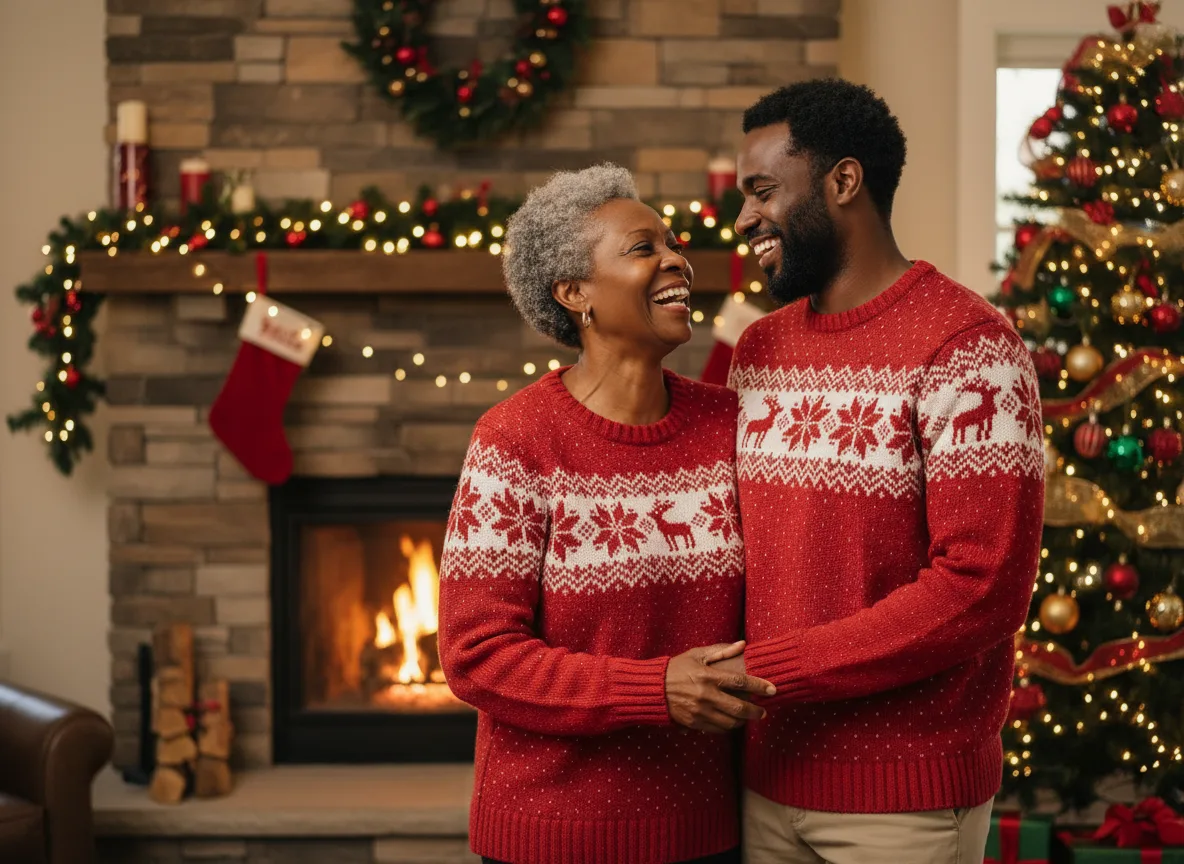
The best family photo ideas give everyone something to do. A family standing in a row smiling at a lens looks like a passport queue; the same family walking down a path, piled on a sofa or tossing leaves looks like a family. Below are 15 setups with the light and the outfit plan that make each one work, a color table for deciding what to wear, posing rules for groups of two to six, and a way to preview a full set from photos you already have before anyone books a session.
Six setups that work for almost any family
These are the six looks the AI Family Photoshoot tool runs as a Full shoot. They are also the six safest choices for a real session, because each one has built-in action and forgiving light.
| Setup | Best light | What everyone does | Works for |
|---|---|---|---|
| Beach at golden hour | Last hour before sunset, sun behind you | Walk barefoot along the water, hold hands | Any size, kids who will not sit still |
| Park picnic | Open shade under a big tree | Sit on a blanket, pass food, read a book | Toddlers, grandparents |
| At home on the sofa | Large window, late morning | Pile together, tickle, read | Newborns, rainy days |
| Studio backdrop | Soft light from one side | Close posed group, faces touching | Formal prints, holiday cards |
| Autumn forest walk | Backlit, low sun through leaves | Walk toward the camera, kick leaves | October and November |
| Front porch | Warm evening light | Sit on the steps at different heights | Families with a house they love |
1. The beach walk. Put the sun behind the family so faces are in soft shade and hair gets a rim of light. Walk toward the camera, then away, then stop and look at each other.
2. The park picnic. Open shade under a tree gives even light on every face, which matters more than the location. A blanket keeps toddlers in one place for a few minutes.
3. The sofa pile. The easiest photo with a newborn or small children. Pull the sofa toward a window, turn the room lights off, and let everyone climb on.
4. The studio portrait. The classic card photo. Faces close together at different heights, one soft light from the side, a plain warm backdrop.
5. The autumn walk. Backlit leaves are the reason fall is peak season for family sessions. Shoot into the low sun with the family walking toward you.
6. The porch steps. Steps solve the posing problem for you: everyone sits at a different height without being arranged.
Nine more family photoshoot ideas
7. Baking in the kitchen. Flour on noses, a mixing bowl, kids on the counter. Window light, everyone busy, no one posing.
8. Three generations. Grandparents, parents and children in one frame, ideally with a small gesture across the generations (a grandparent holding the youngest's hand). For relatives who live far apart, one clear photo of each person can bring them into one scene.
9. The maternity and sibling photo. Older siblings with a hand on the bump. The maternity photoshoot has its own looks for the parent on their own.
10. Matching pajamas. A December favorite that also works in a cozy cabin or on Christmas morning. The Christmas photoshoot ideas list has twelve holiday variations.
11. The leaf throw or snowball fight. Motion gives honest expressions. Shoot in bursts and keep the frame where everyone laughs.
12. The family in costume. One theme for everyone keeps a group photo coherent. See Halloween photoshoot ideas for group costumes and the light that makes them look spooky rather than staged.
13. Recreating an old photo. Find a family photo from 20 or 30 years ago and stage it again with the same people in the same poses. Restore the old print first so both versions look sharp side by side.
14. The dog in the family photo. Pets are part of most families' pictures. Treat the pet as one more person: one clear photo of its face and markings, one slot in the upload.
15. Hands only. A detail shot of everyone's hands stacked together, from the largest to the smallest. It needs no outfits at all and makes a good print next to the group photo.
What to wear for family photos
The rule photographers repeat is coordinate, do not match. Choose a palette of three or four colors and give each person one or two of them. The Family Photoshoot tool uses five outfit plans, and they cover most of what works:
| Outfit plan | Colors | Best setting | Avoid with it |
|---|---|---|---|
| Coordinated neutrals | Cream, white, oatmeal | Beach, studio | Pale skin against a pale backdrop: add one darker piece |
| Denim and white | Mid blue, white | Park, porch | Everyone in head-to-toe denim |
| Earth tones | Rust, olive, mustard, brown | Autumn forest | Green outfits in a green forest |
| Navy and white stripes | Navy, white | Beach, boats | Fine stripes, which shimmer on camera |
| Own casual clothes | Whatever people wear | At home | Large logos and slogans |
A few more rules that hold across every plan:
- One pattern per photo, at most. Two patterns next to each other fight for attention.
- No neon and no pure black on small children. Neon casts color onto faces; black hides small bodies in shadow.
- Shoes matter in full-length shots. Bare feet on a beach, boots in the forest, nothing in bright white sneakers unless everyone wears them.
- Dress the parents last. Start from the youngest child's outfit (the hardest to change) and build the palette around it.
Posing groups of two to six
- Triangles. Arrange heads so they form triangles, not a straight line. Three heads at three heights look natural.
- Close the gaps. Families stand further apart than they think. Ask everyone to touch shoulders, then move in again.
- Give an action, not an instruction. "Whisper something to Mom" gets a better expression than "smile".
- Put small children in front and low, held or sitting, so their faces are not hidden behind adults.
- Five or more people: shoot a few frames in a row. With a group that size, someone blinks in almost every frame.
Previewing a family set before the session
A real session costs a day of coordination; previewing the looks costs a few minutes. Upload one group photo where every face is clear, or up to four photos with one person each, choose the outfit plan once, then run the Full shoot. You get all six setups from the same photos and model in one click, with the total price shown before anything is spent and a refund for any look that fails. It is a practical way to choose a location and colors before booking a photographer, or to make a card when someone could not make the real day.
Upload quality decides the result. Faces should be large, sharp and evenly lit in the reference photos, so crop a group photo if people are small in the frame. The guide to the best photos to upload covers how many photos to add and what to avoid.
The tool starts in landscape 4:3, which fits groups. Switch to 3:4 for a family of two or three, or 1:1 for a profile picture. Nano Banana is the default and takes up to three reference photos; models in the menu with higher limits let you add a fourth person, and each one shows its credit price before you generate.
Honest limits
- Groups are the hardest job for any image model. Two to four people keep likeness well; beyond that, a face drifts more often. Check every face before you print.
- Children change fast. Use photos from the last few months.
- Photos of anyone under 18 may be uploaded only by a parent or legal guardian, and only of people who agreed to be in the picture.
- A generated family photo is a new image, not a record of a real day. For the moments that matter, book the session and use the preview to plan it.